




When a client asks for "a normal fingerprint machine with network", three ZKTeco names usually come up: the K14 PRO, the K50 PRO and the K60 Pro. On the shelf they look alike: same 2.8-inch TFT screen, same 3,000 fingerprint capacity, TCP/IP and USB host on all three. The differences are in the details that decide whether the installation goes smoothly or turns into repeat visits: the backup battery, the record capacity, the card reader and the power supply.
What the three have in common
All three are fingerprint time attendance terminals. According to ZKTeco's specifications each one offers:
- A 2.8-inch TFT screen that shows the fingerprint image and the verification result.
- 3,000 fingerprints and 3,000 cards.
- TCP/IP for the network and USB host for pulling data on a flash drive.
- Workcode, SMS, DST, record query, automatic status switch, a bell schedule, T9 input and 9-digit user IDs.
- Operating range of 0°C to 45°C and 20% to 80% humidity, so they belong indoors, under a roof, away from direct sun.
None of them reads faces. If your staff includes workers with worn fingerprints, read the last section before you decide.
K14 PRO: card reading out of the box
The K14 PRO lists ID card as a standard function, while IC card is optional. That makes it the natural pick when the company already issues 125kHz ID cards or wants to mix cards and fingerprints. It stores up to 200,000 transactions and runs on DC 5V/800mA. Its optional functions include IC card, Photo ID, SSR, ADMS, DNS and a web server.
What its published specification does not list is a backup battery or simple access control. If you need either, look at the other two.
K50 PRO: battery and simple access control
The K50 PRO adds two standard functions that matter in Egyptian sites: a backup battery and simple access control. The battery keeps the device recording through a short power cut, so there is no gap in the attendance sheet when the building switches to the generator. Simple access control lets the terminal work with a basic door setup; confirm the lock wiring with your installer before you promise the client a door solution.
Its record capacity is 100,000 transactions, half of the other two. For a company of 30 to 50 people who download records every month, that is more than enough. ID and IC cards are optional here, as are ADMS, SSR and an external bell. Power is DC 5V/0.8A.
Need technical advice before you buy?
Do Link's sales team helps you choose the right equipment for your site and budget, with special wholesale and project pricing.
Contact the sales team WhatsApp Call us 01098280784 Request a quote
K60 Pro: the fuller package
The K60 Pro combines the strong points of both: 200,000 transactions, a built-in backup battery, simple access control and DNS as a standard function. ZKTeco also mentions built-in SSR Excel software as an option, multi-language support, and the choice of simple access control or an external bell. ID and IC cards are optional.
One practical difference: the K60 Pro runs on DC 12V/1.5A, while the K14 PRO and K50 PRO use 5V. Keep the original adapter with the device; a 5V adapter from another unit will not do.
Side-by-side table
| Item | K14 PRO | K50 PRO | K60 Pro |
|---|---|---|---|
| Display | 2.8" TFT | 2.8" TFT | 2.8" TFT |
| Fingerprint capacity | 3,000 | 3,000 | 3,000 |
| Card capacity | 3,000 | 3,000 | 3,000 |
| Transactions | 200,000 | 100,000 | 200,000 |
| Communication | TCP/IP, USB host | TCP/IP, USB host | TCP/IP, USB host |
| ID card | Standard | Optional | Optional |
| IC card | Optional | Optional | Optional |
| Backup battery | Not listed | Standard | Standard (built-in) |
| Simple access control | Not listed | Standard | Standard |
| DNS | Optional | Not listed | Standard |
| Power supply | DC 5V/800mA | DC 5V/0.8A | DC 12V/1.5A |
| Dimensions | 183.8 x 136 x 47.76 mm | 138 x 183 x 45.5 mm | 183.8 x 135 x 48.6 mm |
How to choose in practice
- Office with stable power and staff who will use ID cards: K14 PRO.
- Shop, pharmacy or small branch with frequent power cuts, and a door to open: K50 PRO.
- Factory, warehouse or busy branch with many punches a day and a door: K60 Pro, for the 200,000 records together with the battery.
As a rough guide, multiply the number of employees by the punches per day and by the working days between downloads. Fifty employees punching four times a day for 26 days produce around 5,200 records a month, so record capacity rarely becomes a limit unless the device is never cleared. It is still a useful margin for sites where nobody remembers to download the data.
What about reports?
For a small place where the owner does not want software on a PC, ask for the SSR option that ZKTeco lists as optional on all three, which gives Excel reports pulled over USB. For several branches managed from one office, ADMS, also optional on all three, is the function to ask about when ordering, together with a stable internet line at each branch.
Installation tips that save a second visit
- Mount the terminal indoors at a comfortable hand height, out of rain and direct sun, since all three are rated for 0°C to 45°C.
- Run a network cable and set a fixed IP address; then test that the software can reach the device before you leave the site.
- Enroll two fingers per employee. Enroll workers with rough hands at the start of the shift, not at the end.
- Agree on the cards before installation: the K14 PRO reads ID cards as standard, the others need the card option.
- Label the adapter, especially with the K60 Pro, which needs 12V.
When fingerprint alone is not enough
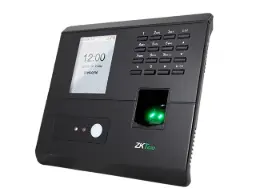
If a noticeable part of the staff struggles with fingerprint reading, a face and fingerprint terminal such as the ZKTeco MB20 avoids daily complaints. You can see all the options in the ZKTeco time attendance category or on our ZKTeco page.
Buying through Do Link
Do Link is an authorized ZKTeco distributor in Egypt, supplying original devices with a one-year warranty and technical support before and after the sale. Dealers and installers get wholesale prices, companies get project prices, and we deliver to all governorates. To confirm the right model for a site, contact the sales team or WhatsApp 01098280784.
Recommended products from Do Link
Get a quote from Do Link
Send us your site details and the number of points you need, and Do Link's sales team will reply with suitable models and pricing. Or visit one of our three branches in Bab El Louk, Cairo.
Contact the sales team WhatsApp Call us 01098280784 Request a quote
About Do Link
Do Link for Security Systems is the official Platinum Distributor of Uniview in Egypt, and we supply Hikvision, Dahua, ZKTeco, TP-Link and other global brands for CCTV, networking, intercom and access control. Our products are original with a one-year warranty, pre- and post-sale technical support, and delivery to all Egyptian governorates.
Frequently asked questions
Which of the three reads ID cards without an add-on?
The K14 PRO lists ID card as a standard function. On the K50 PRO and K60 Pro, ID and IC cards are optional.
Which models keep working during a power cut?
The K50 PRO and K60 Pro list a backup battery as standard. A battery is not listed in the K14 PRO specification.
Do these devices support face recognition?
No. All three are fingerprint terminals. For face and fingerprint, look at models such as the ZKTeco MB20.
How many records can each device store?
The K14 PRO and K60 Pro store 200,000 transactions; the K50 PRO stores 100,000.
Can I use the same power adapter for all three?
No. The K14 PRO and K50 PRO use DC 5V, while the K60 Pro needs DC 12V/1.5A.