



Plenty of projects spend serious money on cameras and recorders, then send the picture to a domestic TV above the guard's desk. Hundreds of channels get recorded and nobody actually watches them. The control room is where cameras become real supervision, and it needs the same careful numbers you would put into choosing a lens.
When you actually need a control room
An eight-camera shop is fine with one screen on the NVR's HDMI output. Things change once you have more cameras than one screen can show clearly, more than one recorder, several buildings, or an operator assigned to watch for a full shift. At that point you need a proper display system: screens, a way to feed video to them, software to manage it all, and a workspace where a person can stay alert for eight hours.
Monitors built for 24/7 duty
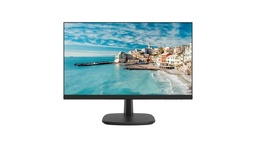
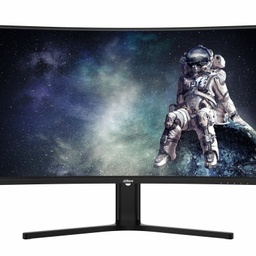
Control room screens usually run around the clock showing static layouts. Consumer TVs are typically designed for fewer daily hours and their warranty may not cover continuous use. We prefer surveillance or professional displays explicitly rated 24/7. Check the duty rating, input options (HDMI plus a spare), resolution (4K helps when one large screen shows 16 or more channels) and, for video walls, bezel width: thinner bezels mean less broken image across panels. Have a look at our Hikvision monitors, Dahua monitors and Samsung displays.
Three ways to get video onto the screens
NVR outputs
Most NVRs have HDMI and VGA, and mid to high-end models often provide two independent HDMI outputs showing different layouts. Cheap and fine for one or two screens.
A VMS workstation
A PC with a multi-output graphics card running the manufacturer's client: iVMS-4200 or HikCentral for Hikvision, EZStation for Uniview, SmartPSS or DSS for Dahua. You get several recorders in one interface, alarm handling, maps and playback in one place. Decoding dozens of streams leans hard on the CPU and GPU, so a standard office PC is the wrong tool.
A decoder driving a video wall
A decoder pulls streams from cameras or recorders over the network and outputs them straight to the screens over HDMI. Many support joining several panels into one large image and opening windows across the wall, controlled from the VMS or a keyboard. This is the usual choice for larger walls because it does not depend on a PC that may freeze or reboot.
Need technical advice before you buy?
Do Link's sales team helps you choose the right equipment for your site and budget, with special wholesale and project pricing.
Contact the sales team WhatsApp Call us 01098280784 Request a quote
Worked example: a 3x3 wall of 55-inch panels
Say a site has 36 cameras at 4MP and wants them all on nine screens, each split into four windows.
| Item | Calculation | Result |
|---|---|---|
| Width of a 55" 16:9 panel | 55 x 16 / 18.36 | about 47.9" (121.8 cm) |
| Panel height | 55 x 9 / 18.36 | about 27" (68.5 cm) |
| 3x3 wall size | 3 x 121.8 cm by 3 x 68.5 cm | about 3.65 m wide x 2.06 m high, excluding bezels |
| Windows | 9 x 4 | 36 |
| Decoding load on main stream | 4MP at 2560x1440 is about 1.78x 1080p; 36 x 1.78 | about 64 channels of 1080p equivalent |
| Bandwidth on main stream | 36 x 4 Mbps (H.265, assumed) | about 144 Mbps |
| Bandwidth on sub-stream | 36 x 1 Mbps | about 36 Mbps |
18.36 is the diagonal of a 16:9 triangle (the square root of 337). The practical takeaway: small tiles should run on the sub-stream, and only a camera enlarged to full screen switches to the main stream. The decoder still needs a 1 Gbps network link, and you should check its decoding capacity in numbers on the datasheet. Real bitrates depend on the camera, the scene and compression settings, so plug in your own project values.
What the operator needs from the software
- Saved view groups (gates, stores, perimeter) instead of flicking through channels.
- Alarm pop-ups that put the camera on a dedicated screen on a line-crossing or intrusion event.
- A site map with camera icons, which helps new operators enormously.
- Operator rights limited to viewing and export, no configuration changes.
Operator ergonomics
A classic mistake on site surveys: the wall mounted right above the operator's head, so they spend the whole shift looking up. Keep desk monitors at roughly arm's length (50 to 100 cm) with the top edge at or slightly below eye level. Place the wall far enough away to be seen without much head movement, with the bottom row above desk height. Avoid windows behind or facing the screens and use indirect lighting to cut glare. Provide an adjustable chair, enough cooling for the heat from screens and decoders, and a realistic number of screens per operator, relying on alarms rather than continuous watching of every tile.
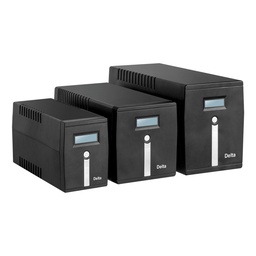
Tip for installers: put decoders, workstations and switches on a Delta UPS or equivalent. A few seconds of power loss reboots everything, and some decoders take minutes to restore the wall layout.
The infrastructure behind the screens
A good-looking wall is worthless on a weak network. The control room pulls video from the whole site, so give it a core switch with at least 1 Gbps ports for recorders, decoders and workstations, and faster or fiber uplinks from distant buildings. Keep a tidy rack next to the room, or behind a partition, so the operator is not sitting in fan noise and equipment heat. Where the decoder sits far from the screens, use HDMI extenders over network cable rather than long, unreliable HDMI runs, and leave service access behind the wall to swap a panel. Finally, leave headroom in decoding capacity, switch ports and wall space if more cameras are planned; adding a row of screens later is much harder than building it in.
How Do Link can help
Through our CCTV solutions we supply recorders, surveillance monitors and workstation components from original brands including Uniview, where we are the official Platinum Distributor in Egypt, as well as Hikvision and Dahua. Our technical team can work out decoding capacity, bandwidth and screen count with you before you buy, and supports you after installation. Contractors and companies get project pricing, with delivery to all governorates in 2 to 3 working days.
Send us your camera count, resolutions and room size through our contact page and we will propose a layout, or browse Hikvision NVRs to compare display outputs by model.
Recommended products from Do Link

Get a quote from Do Link
Send us your site details and the number of points you need, and Do Link's sales team will reply with suitable models and pricing. Or visit one of our three branches in Bab El Louk, Cairo.
Contact the sales team WhatsApp Call us 01098280784 Request a quote
About Do Link
Do Link for Security Systems is the official Platinum Distributor of Uniview in Egypt, and we supply Hikvision, Dahua, ZKTeco, TP-Link and other global brands for CCTV, networking, intercom and access control. Our products are original with a one-year warranty, pre- and post-sale technical support, and delivery to all Egyptian governorates.
Frequently asked questions
Can I use a regular TV in a control room?
Technically yes, but consumer TVs are usually designed for fewer daily hours, the warranty may not cover continuous operation, and static layouts shown for long periods can stress some panel types. For rooms running around the clock we recommend surveillance or professional displays explicitly rated for 24/7 operation.
What is the difference between a decoder and a VMS workstation?
A workstation is a PC running video management software, giving you playback, alarm handling and maps. A decoder is a dedicated box that pulls streams from the network and outputs them directly to screens, which makes it more stable for driving large video walls. Many projects use both, each for its own job.
How many monitors can an NVR drive directly?
It depends on the model. Most NVRs have one HDMI and one VGA output, and many mid to high-end models offer two independent HDMI outputs, each showing a different set of channels. If you need more than two screens or a video wall, add a VMS workstation or a decoder.
Why show small tiles on the sub-stream?
Showing dozens of channels on the main stream eats decoding capacity and bandwidth with little benefit, because a small tile cannot show fine detail anyway. The sub-stream lightens the load on the network and the decoder, and when you enlarge one camera to full screen the view switches to the main stream at full resolution.
What matters most for operator comfort?
Desk monitors at roughly arm's length with the top edge at eye level, a wall that can be seen without craning the neck, no glare from windows or ceiling lights, an adjustable chair and proper cooling. Most important of all, rely on alarm pop-ups rather than expecting an operator to watch every tile continuously.