




A large share of the intercom faults we get called for have nothing to do with the equipment. Humming audio, rolling video, a lock that opens only sometimes, a monitor that works in the morning and dies in the evening. On inspection, the cause is the cable: its type, its length, its route beside power lines, or a poor joint in a box. This article is about the part that disappears into the wall after handover.
Each system wires differently
- Traditional building audio (4+n): four common wires shared by all apartments plus one call wire per apartment. For 20 apartments that is 4 + 20 = 24 conductors in the riser, hence multi-pair cable.
- Analogue villa video: many systems use four wires between door station and monitor: power, ground, audio and video. Allowed distance depends on conductor size.
- Two-wire digital: a single pair carries everything, usually twisted pair or the maker's recommended cable, with distributors at branch points.
- IP: Cat5e or Cat6 to every unit, normally powered by PoE from the switch.
Cable types and where they fit
| Cable | Fits | Notes |
|---|---|---|
| Multi-pair (telephone or alarm) | 4+n audio, some villa systems | Buy more pairs than you need and leave spares |
| Twisted pair, maker's specified size | Two-wire digital | Twisting reduces interference; thicker allows longer runs |
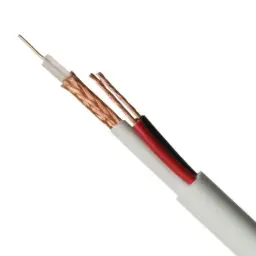
| Coax | Analogue video on longer runs in some systems | Only where the manual calls for it |
| Solid copper Cat6 | IP intercom | 100 m limit per switch-to-unit link |
| Two-core power cable, 1 mm² or more | Feeding locks from a PSU | Size sets voltage drop, see below |
Avoid CCA (copper-clad aluminium). Its resistance is higher than pure copper, it suffers with heat and bending, and in intercom work it shows up as weak audio, voltage drop and PoE faults.
Distances: where the numbers come from
For analogue and two-wire systems, each manufacturer's installation manual sets the maximum distance by conductor size, number of units and topology. Thicker wire allows longer runs, but the exact figures differ between systems, so never apply one brand's table to another.
For IP the number is fixed: 100 m per copper link under the Ethernet standard. If the gate is 150 m away, you have three options: an intermediate switch with local power, fibre with media converters, or an approved PoE extender on the run.
Need technical advice before you buy?
Do Link's sales team helps you choose the right equipment for your site and budget, with special wholesale and project pricing.
Contact the sales team WhatsApp Call us 01098280784 Request a quote
Voltage drop on lock cables: a worked example
This is the classic mistake. The lock works on the bench, then fails on site because it receives too little voltage. Copper resistance is about 0.0172 ohm per metre for a 1 mm² conductor.
Example: a 12 V magnetic lock drawing 0.5 A, with the PSU 40 m away. Current goes out and back, so the loop is 2 × 40 = 80 m.
| Cable | Loop resistance (80 m) | Drop at 0.5 A | Voltage at lock |
|---|---|---|---|
| One Cat6 pair (about 0.26 mm²) | 0.0172 × 80 ÷ 0.26 = 5.29 Ω | 2.65 V | 9.35 V, not acceptable |
| Two 0.5 mm² cores | 0.0172 × 80 ÷ 0.5 = 2.75 Ω | 1.38 V | 10.62 V, about 11.5% drop |
| Two 1 mm² cores | 0.0172 × 80 ÷ 1 = 1.38 Ω | 0.69 V | 11.31 V, about 5.7% drop |
Many locks tolerate around 10% below nominal, so 1 mm² is the safe choice here. The alternative is placing the PSU near the door and running only a control wire from the intercom relay. Always measure voltage at the lock while it is energised, because the drop only appears under load.
Distributors and power supplies
In two-wire systems, distributors split the riser into apartment branches and isolate them, so a short in one flat does not take down the building. Some systems also need the line terminated at the last unit or distributor; skipping it causes rolling video or ghosting, so check the manual on this point.
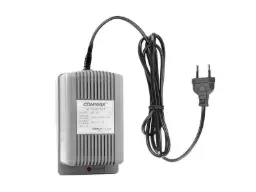
- Add up device consumption from the datasheets and allow at least 25% headroom: a 2 A load needs a supply of 2.5 A or more.
- Keep locks on a separate supply. Their inrush can reboot monitors sharing the same PSU.
- Mount supplies somewhere ventilated and reachable, not sealed inside a false ceiling.
- On DC electric strikes, fit a suppression diode across the coil if none is built in, to absorb the back-EMF that wears relay contacts.
Wiring mistakes we see repeatedly
- Intercom cable in the same conduit as 220 V mains, giving hum and video noise.
- Taped joints buried in walls, which corrode with moisture. Use proper connectors in an accessible box.
- Split pairs on Cat6 used for analogue or two-wire systems, which cancels the benefit of twisting.
- No spare pairs, so one broken core means pulling a new cable.
- Water running down the conduit into the outdoor station. Leave a drip loop and seal entries.
- No labels in distributors and patch panels, turning every service call into trial and error.
Before you close the walls: test every cable. Check continuity and insulation on standard wiring, use a cable tester on Cat6, and run the system end to end, even with temporary units. Fixing a cable before plastering takes minutes; afterwards it can mean breaking a wall.
How Do Link can help
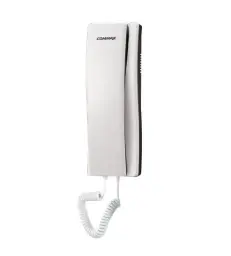
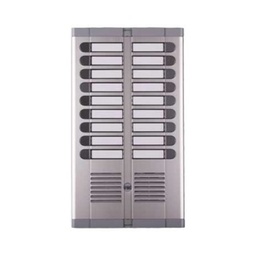
Do Link supplies Commax audio intercom, Urmet intercom and intercom accessories, along with cables, Cat6 network cable and power supplies. Our technical team reviews wiring plans, distances and conductor sizes with you before installation, with special pricing for technicians and contractors and delivery nationwide.
See our intercom solutions, or send your site plan through our contact page and we will check cables and power with you before you buy.
Recommended products from Do Link
Get a quote from Do Link
Send us your site details and the number of points you need, and Do Link's sales team will reply with suitable models and pricing. Or visit one of our three branches in Bab El Louk, Cairo.
Contact the sales team WhatsApp Call us 01098280784 Request a quote
About Do Link
Do Link for Security Systems is the official Platinum Distributor of Uniview in Egypt, and we supply Hikvision, Dahua, ZKTeco, TP-Link and other global brands for CCTV, networking, intercom and access control. Our products are original with a one-year warranty, pre- and post-sale technical support, and delivery to all Egyptian governorates.
Frequently asked questions
Can I use Cat6 for a non-IP intercom?
With some systems, yes, provided the manual allows it and pairs are used intact rather than split. Cat6 conductors are thin, though, so on their own they are not suitable for powering locks over long runs because of voltage drop. For two-wire systems, stick to the cable type and size the manufacturer recommends.
What is the maximum intercom cable distance?
For IP systems, 100 m per copper link between switch and unit under the Ethernet standard. For analogue and two-wire systems, distance depends on conductor size, number of units and topology, and each system's installation manual sets it. Thicker wire allows longer runs, but never apply one brand's figures to another.
Why does the lock not open when the intercom triggers it?
Usually voltage drop on a long or thin cable, so the lock receives less voltage than it needs. Measure at the lock while it is energised. Fix it with a larger conductor or by moving the power supply near the door. Also confirm the relay is wired to the correct terminals, normally open or normally closed, for the lock type.
What causes hum on intercom audio?
Most often the intercom cable shares a conduit with 220 V mains, or there are poor joints, untwisted cable, or a grounding or power supply problem. Check the route first, then joints in boxes and distributors, then try a different power supply to rule it out.
Can monitors and the lock share one power supply?
It is better to separate them. A lock draws a surge when it switches, which can dip the supply and reboot monitors or disturb the video if they share it. Use a dedicated supply for the lock with at least 25% headroom over its draw, and let the intercom relay only switch it.