



At an office, clinic or factory, a visitor presses the intercom button and a monitor lights up at reception, where nobody is standing because the receptionist is in another room. Meanwhile every desk has an IP phone connected to a PBX. Why not let the door ring those phones? That is exactly what a SIP door phone does: the door behaves like an extension on your phone system.
The idea: the door is a PBX extension
SIP is the same protocol IP phones use to talk to the PBX. A SIP-capable door station registers on the PBX like any extension, with a number and password. When a visitor presses the button, the station calls a set number: one extension, a ring group, or an external number if the PBX allows it.
When staff answer and confirm who is there, they press a code on the keypad. The phone sends a DTMF tone, the door station's relay fires and the lock opens. No separate monitor, no walking to the door.
On small sites, a door station can call a single phone directly by IP without a PBX, but the PBX is what brings real flexibility: ring groups, time-based routing and forwarding to mobiles.
Where can the door be answered?
| Endpoint | Audio | Video | Door release |
|---|---|---|---|
| Standard audio IP phone | Yes | Usually no; some models show the door image if compatible | Yes, DTMF code |
| IP video phone | Yes | Yes, if both ends agree on a codec, usually H.264 | Yes, sometimes a dedicated key |
| PBX mobile app | Yes | Depends on PBX and app | Yes, DTMF code |
| Intercom indoor monitor | Yes | Yes | Yes, direct button |
When SIP makes sense
SIP is not the answer everywhere. In an apartment or small villa with no PBX, a conventional intercom kit with monitors and an app is simpler. SIP pays off where an IP PBX already exists, staff are spread over offices and floors, or the door must be answerable from several places at once: offices, clinics where reception moves around, factories and warehouses with goods gates, and sites run by mobile security teams. With several doors, give each its own clearly named extension and route each to its own ring group, so the goods gate rings the warehouse while the main door rings reception.
Need technical advice before you buy?
Do Link's sales team helps you choose the right equipment for your site and budget, with special wholesale and project pricing.
Contact the sales team WhatsApp Call us 01098280784 Request a quote
What you need
- A SIP door station: Grandstream's door systems are built for this, and some Hikvision and Dahua intercom stations support SIP mode on specific models and firmware, so check the datasheet.
- An IP PBX such as Grandstream UCM or Yeastar, confirming video call support if you want the picture, and enough concurrent calls.
- Answering points: audio or video IP phones plus the PBX mobile app.
- A PoE switch with UPS, since many door stations and phones run on PoE.
- A lock with its own power supply, switched by the door station relay.
Example: a door call routing plan
A company with one main door, two receptionists, a guard, and a manager who wants to see the door after hours:
| Time | First step | If unanswered |
|---|---|---|
| Working days, 9 am to 5 pm | Ring reception 101 and 102 together for 20 s | Guard extension, then guard's mobile app |
| After hours | Guard's mobile app | Manager's app |
| Holidays | Guard's mobile app | Manager's app |
On the network side, a G.711 call carries 64 kbps of voice, about 87 kbps per direction on Ethernet once packet headers are added at 20 ms packets. Video depends on resolution and settings; assume 1.5 Mbps for 720p. If the manager answers a video call from outside, the office line needs roughly 1.5 + 0.09 = 1.59 Mbps of upload. A 5 Mbps upload handles that comfortably, but check the real figures in your device settings.
Security: a door that can dial out
A door station is a full PBX extension, so unless restricted it can in principle call external numbers. A weak door extension password plus a PBX with SIP exposed to the internet is one of the gaps we see most, and it can end in international calls billed to the company.
- Block the door extension from all outbound routes; allow only the internal numbers it needs.
- Use long random SIP passwords and change the station's default admin password.
- Do not open SIP to the internet for mobile access. Use the PBX's remote access service or a VPN.
- Enable TLS and SRTP where every party supports them, and keep voice devices on their own VLAN.
- Change the default door release code to something hard to guess.
Details users notice
Name the extension clearly, such as "Main Door", so phones show it instead of a number. Some phones let you program a key that sends the release code during a call. Many PBXs can record door calls, subject to company policy. And set the relay time sensibly: one second often closes the lock before the visitor pushes the door, while three to five seconds suits most doors.
Tip for installers: test failure scenarios before handover, not just normal operation. Disconnect the internet and confirm internal answering still works, cut power and check how the lock behaves, and call from the door while the PBX is busy with other calls.
How Do Link can help
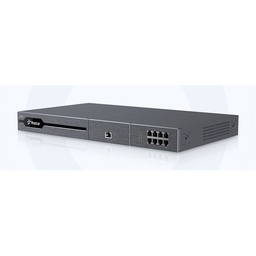
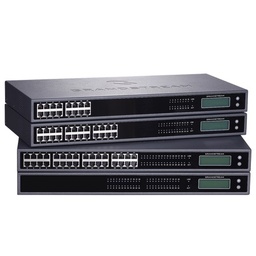
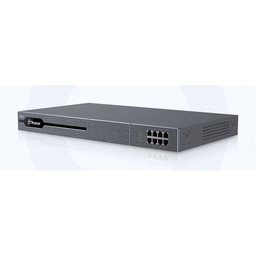
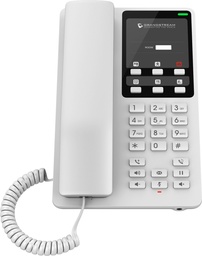
Do Link supplies Grandstream UCM PBX systems, Yeastar PBX systems, Grandstream IP phones, Fanvil IP phones and Hikvision intercom. Our technical team checks compatibility between door station, PBX and phones before you buy, with project pricing, a one-year warranty and after-sales support.
Explore our PBX and telephony solutions, or send us your door and extension count through our contact page and we will propose a design.
Recommended products from Do Link
Get a quote from Do Link
Send us your site details and the number of points you need, and Do Link's sales team will reply with suitable models and pricing. Or visit one of our three branches in Bab El Louk, Cairo.
Contact the sales team WhatsApp Call us 01098280784 Request a quote
About Do Link
Do Link for Security Systems is the official Platinum Distributor of Uniview in Egypt, and we supply Hikvision, Dahua, ZKTeco, TP-Link and other global brands for CCTV, networking, intercom and access control. Our products are original with a one-year warranty, pre- and post-sale technical support, and delivery to all Egyptian governorates.
Frequently asked questions
Can a standard audio IP phone open the door?
Yes. During the call, the user presses a code on the keypad, the phone sends a DTMF tone to the door station, its relay fires and the lock opens. You do not need a video phone for that, though you will only see the visitor on a phone model that supports a door image or on a compatible video phone.
Do I need a PBX for a SIP door phone?
Not always. Many door stations can call a single phone directly by IP address. A PBX adds ring groups, time-based routing, forwarding to mobiles when nobody answers, and answering from outside through the app. Wherever there is more than one answering point, a PBX is the practical choice.
Can I answer the door on my mobile outside the office?
Yes, through the PBX mobile app, such as those Grandstream and Yeastar provide for their systems. Use the PBX's remote access service or a VPN rather than exposing SIP to the internet, and make sure the office line has enough upload speed if you want video as well as audio.
Do Hikvision or Dahua door stations work with a PBX?
Some intercom stations from both makers support SIP mode on specific models and firmware versions, but not all. Check the model's datasheet for standard SIP support, and test with your PBX and phones before rolling out on a large project. Door stations designed around SIP from the start are usually easier to integrate.
How do I stop the door extension being abused?
Block the door extension from all outbound routes and allow only the internal numbers it needs. Use a long random SIP password, change the default admin password and door release code, and never expose SIP to the internet. Keep voice devices on a separate VLAN and enable encryption where supported.