



When the internet drops at a small business, it is no longer a minor annoyance. Point-of-sale stops, IP phone calls cut out, the branch loses the stock system at head office, and the owner loses the cameras. The router that came with the line was never built for this. A business needs a router that runs more than one internet line, switches over on its own when one fails, and ties branches into one secure network.
What makes a business router different
A business router is about routing and control rather than Wi-Fi. Many have no wireless at all and leave that to access points. What they bring:
- Multiple WAN ports for two or more lines from different providers.
- Load balancing and automatic failover.
- Site-to-site and remote-access VPN.
- VLANs, access rules and bandwidth control per device or application.
- Central management in some families, such as TP-Link Omada.
Two internet lines: failover or load balancing
Failover: the primary line carries everything while the backup waits. The router checks the primary, usually by pinging or querying DNS on a known external address, and moves traffic to the backup when the checks fail, then moves it back when the primary recovers. This suits a 4G backup with a limited data bundle.
Load balancing: both lines work together and the router spreads connections across them by a ratio you set. The part people get wrong: it balances per connection or session, not per packet. A single file download still goes over one line and does not get faster.
| Mode | How it works | When it fits |
|---|---|---|
| Failover | One line active, one standing by | 4G backup with a limited bundle |
| Load balancing | Sessions shared across lines by weight | Two fixed lines, many users |
| Policy routing | A given app or device uses a given line | Keeping calls or cameras apart from staff browsing |
A worked example
An office has a 100 Mbps line and a 50 Mbps line. Set the weights 2:1 and roughly two thirds of sessions go to the faster line. Total capacity across all users approaches 150 Mbps, but one employee downloading a large file will top out at 100 Mbps at best, because that one connection uses a single line.
Also, when traffic moves to the other line, the company's public IP changes, so existing connections drop and apps reconnect. A call in progress may cut, and a VPN tunnel rebuilds within seconds or minutes depending on settings. That is normal, and the client should know in advance.
Connecting branches with VPN
A site-to-site VPN lets the branch and head office see each other as one network through an encrypted tunnel over the internet, so the branch reaches the accounting server and head office sees branch cameras.
- IPsec is the most widely supported option between sites, and usually works across brands when settings match.
- OpenVPN and WireGuard are available on some routers; check the datasheet.
- L2TP/IPsec and SSL VPN are common for staff connecting from a laptop or phone.
At least one side must be reachable from the internet: a public IP, static or dynamic with DDNS. 4G connections usually sit behind carrier NAT and cannot accept incoming connections. Put head office on a fixed line with a public IP and let branches dial in. Ask your provider for a static IP at head office if needed.
Check branch upload too. Viewing four branch cameras on sub-streams at 512 kbps each needs 4 × 512 = 2,048 kbps, about 2 Mbps of upload on top of other traffic, and DSL and VDSL upload is usually far below download.
Tip for installers: give every site its own internal subnet from day one, for example 192.168.10.0/24 for head office and 192.168.20.0/24 for the first branch. A tunnel between two networks that both use 192.168.1.0/24 will not route properly, and renumbering a live network later is painful.
Need technical advice before you buy?
Do Link's sales team helps you choose the right equipment for your site and budget, with special wholesale and project pricing.
Contact the sales team WhatsApp Call us 01098280784 Request a quote
Choosing the model
- WAN ports: how many, and whether there is an SFP port for fiber or USB for a 4G modem.
- NAT throughput against the sum of your line speeds, with room to grow.
- IPsec VPN throughput: a separate datasheet figure, usually well below NAT throughput because encryption loads the CPU.
- VPN tunnel count and concurrent sessions.
- Central management of branch routers, switches and access points from one dashboard.
A 20-user office with two mid-speed lines is well served by an entry multi-WAN business router. A head office holding permanent tunnels to several branches needs stronger IPsec performance, and possibly a dedicated firewall if security requirements go further.
How Do Link helps
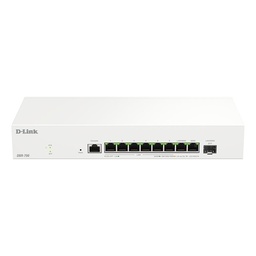
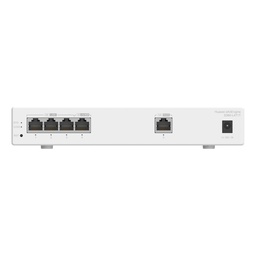
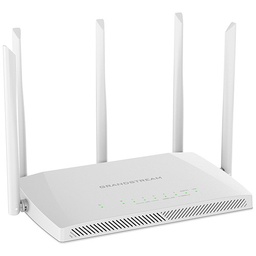
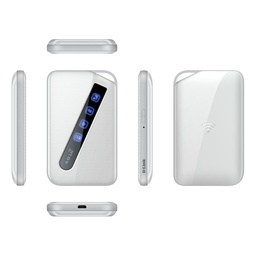
Do Link for Security Systems carries business routers from several brands, including D-Link routers, Huawei routers, Grandstream routers and Omada solutions from TP-Link, plus 4G routers for backup lines. Our technical team helps choose the model, plan branch addressing and set up the VPN tunnels.
Products are original with a one-year warranty, delivered to every governorate in 2 to 3 working days, with special pricing for companies and projects. See our networking solutions for more.
Bring your branches onto one network
Tell us how many branches you have, the internet lines at each and the number of users, and we will suggest a design and model. Contact us through the contact page or browse business routers.
Recommended products from Do Link
Get a quote from Do Link
Send us your site details and the number of points you need, and Do Link's sales team will reply with suitable models and pricing. Or visit one of our three branches in Bab El Louk, Cairo.
Contact the sales team WhatsApp Call us 01098280784 Request a quote
About Do Link
Do Link for Security Systems is the official Platinum Distributor of Uniview in Egypt, and we supply Hikvision, Dahua, ZKTeco, TP-Link and other global brands for CCTV, networking, intercom and access control. Our products are original with a one-year warranty, pre- and post-sale technical support, and delivery to all Egyptian governorates.
Frequently asked questions
Do two internet lines double my download speed?
Not for a single connection. Load balancing spreads sessions across both lines, so users together benefit from the combined capacity, but one file download runs over one line only. With a 100 Mbps and a 50 Mbps line, everyone together approaches 150 Mbps, while a single download stays at 100 Mbps at most.
Do calls drop when the router switches lines?
Usually, yes. When traffic moves to the other line, the company public IP changes, so existing connections end and applications reconnect. A call in progress may drop, then new calls work normally, and a VPN tunnel rebuilds itself automatically within a short time depending on its settings.
Can a branch on 4G connect to head office by VPN?
In most cases, yes, as long as head office has a line with a public IP, static or with DDNS, and the branch starts the connection. 4G connections usually sit behind carrier NAT and cannot be reached from outside, so the 4G side should never be the one waiting for incoming tunnels.
Why is VPN speed lower than the router headline speed?
The headline NAT figure measures plain routing, while VPN encryption takes CPU power. That is why manufacturers list IPsec throughput separately, and it is usually noticeably lower. Branch upload speed also limits the tunnel, so check it before relying on the VPN for heavy data transfers between sites.
Does a business router need built-in Wi-Fi?
Not necessarily. In most offices it is better for the router to handle internet lines, routing and VPN while dedicated access points cover Wi-Fi from the right spots in the building. Some small routers combine both, which is fine for very small offices with limited space and few users.