



The old analog PBX in many offices still works, just barely. Every extension is a copper pair in a cabinet, adding a new hire needs a technician, nothing is recorded, and nobody can take a client's call away from their desk. Then an extension card dies and there is no replacement on the market.
Moving to an IP PBX fixes this, provided the move is planned: outside lines, phones, network and system size. Here is how to plan it, with numbers you can work from.
What an IP PBX actually changes
An IP PBX is an appliance or software that handles calls over your data network using SIP. An extension is no longer a copper pair but an account that an IP phone, mobile app or PC softphone registers to. Phones plug into the same switches as the computers, so moving someone to another office means moving the phone.
- Full web management: add an extension or change call routing in minutes.
- IVR, call recording, queues, voicemail and conferencing come built in.
- Branches call each other as internal extensions over the internet.
- Staff keep their own extension when working from home or on site.
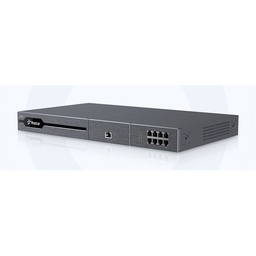
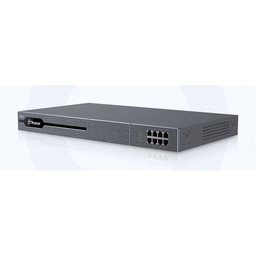
The best-known names in this class are the Grandstream UCM series and the Yeastar P-Series. We stock Grandstream IP PBX systems and Yeastar IP PBX systems in several sizes.
Outside lines: SIP trunks or landlines on FXO
A SIP trunk delivers voice over the internet or a provider link, carrying several simultaneous calls on one connection. It is the cleanest option technically, but availability and terms vary by provider and area.
In Egypt, plenty of companies still run on analog landlines and won't give up numbers their customers know. That is what FXO ports are for: an FXO port accepts a landline from the public exchange. Many IP PBXs have FXO ports built in, and when you need more, an FXO gateway converts the lines to SIP. One landline on one FXO port carries one call at a time, so five lines means five simultaneous outside calls, no more.
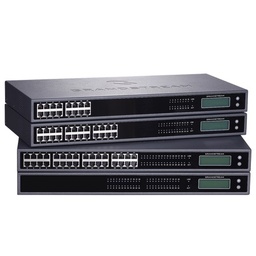
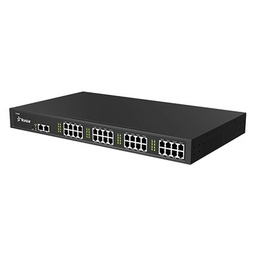
FXS is the opposite: it powers an analog device such as an old phone or a fax. Yeastar FXS gateways let you keep existing analog phones in the warehouse or reception during the transition. GSM/4G gateways can also add mobile SIM cards as outside lines.
IP phones, PoE and mobile apps
IP phones are usually powered over the network cable with 802.3af PoE, so no socket or adapter per desk, and one UPS in the network room keeps every phone alive. Most desk phones draw a few watts, but plan on about 6.5 W each unless the datasheet says otherwise. 40 phones × 6.5 W = 260 W, so choose a switch with at least that PoE budget plus margin. TP-Link smart managed switches also give you the VLAN and QoS features you will need.
Fanvil IP phones and Grandstream IP phones range from basic staff handsets to colour-screen models with BLF keys for reception. Field sales and technicians can skip the desk phone: a softphone app such as Grandstream Wave (for UCM) or Linkus (for Yeastar) rings their extension on their mobile.
Need technical advice before you buy?
Do Link's sales team helps you choose the right equipment for your site and budget, with special wholesale and project pricing.
Contact the sales team WhatsApp Call us 01098280784 Request a quote
Extensions, IVR, recording and queues
Start with a numbering plan: 1xx admin, 2xx sales, 3xx support, 9 for an outside line. Keep the IVR short, three or four options at most, with a separate after-hours message. Queues spread incoming calls across available agents and play hold music instead of a busy tone.
For recording, a mono G.711 WAV file takes about 0.48 MB per minute. Recording 300 minutes a day over 26 working days comes to roughly 3.7 GB a month, so size storage for the retention period you need.
Sizing: users and concurrent calls
Three numbers drive the choice: users, concurrent calls, and FXO ports or SIP channels. As a starting estimate, assume 20 to 25% of users are on outside calls at peak, more for sales teams and call centres.
Example: 40 staff means 8 to 10 concurrent outside calls at peak, so 8 to 10 landlines on FXO, or a mix of landlines and SIP trunk channels. For calls crossing the internet (branches, remote staff), bandwidth per call and direction is:
| Codec | Voice rate | On the wire per call, per direction (approx.) | 10 concurrent calls |
|---|---|---|---|
| G.711 | 64 kbps | 87.2 kbps | 872 kbps |
| G.729 | 8 kbps | 31.2 kbps | 312 kbps |
Figures assume 20 ms packets with IP, UDP, RTP and Ethernet headers, needed both upstream and downstream. Then pick a model with clear headroom on users and concurrent calls for growth.
Network requirements: VLAN and QoS
Voice is more sensitive to delay and jitter than any other traffic. A large upload on a flat network can break calls.
- Voice VLAN for the phones, which LLDP-MED can assign automatically on switches that support it.
- QoS marking voice as DSCP 46 (EF) and prioritising it on switches and the router.
- Targets: one-way delay under 150 ms, jitter under 30 ms, packet loss under 1%.
Most IP phones have a second port for the PC, so one existing network point can serve both, with the voice VLAN tag keeping traffic separate. Test old cabling first, though. Auto provisioning on Grandstream UCM and Yeastar systems can push extension settings to compatible phones, which saves hours of manual setup on a 40-phone rollout.
Common mistakes
- SIP port 5060 open to the internet with weak extension passwords. That invites toll fraud. Use strong passwords, restrict allowed IPs and turn on automatic blocking.
- SIP ALG left on in the internet router, a frequent cause of one-way audio and calls dropping after a few seconds.
- No UPS: when power drops, the PBX and PoE switch go down with every phone.
- A flat network without VLAN or QoS, followed by complaints about choppy audio.
- Moving everyone in one day without a pilot.
Our advice: move one department first and keep the old PBX running in parallel for a week. You can link the two systems temporarily through FXO and FXS ports so both groups can still call each other, then migrate the rest once quality is proven and users are trained.
How Do Link helps
Do Link for Security Systems supplies Grandstream UCM and Yeastar IP PBXs, Fanvil and Grandstream phones and VoIP gateways, along with switches and UPS units from APC/Schneider and Delta. Everything is original with a one-year warranty, and our technical team helps you size the system before purchase and supports you during commissioning. Companies and contractors get wholesale and project pricing, with delivery to all governorates in 2 to 3 working days. See our PBX and telephony solutions.
Tell us your headcount, current landlines and branches, and we will propose the PBX, phones and switch. Get in touch through our contact page, on WhatsApp at 01098280784, or at our Bab El Louk branches, open daily 10 AM to 10 PM.
Recommended products from Do Link
Get a quote from Do Link
Send us your site details and the number of points you need, and Do Link's sales team will reply with suitable models and pricing. Or visit one of our three branches in Bab El Louk, Cairo.
Contact the sales team WhatsApp Call us 01098280784 Request a quote
About Do Link
Do Link for Security Systems is the official Platinum Distributor of Uniview in Egypt, and we supply Hikvision, Dahua, ZKTeco, TP-Link and other global brands for CCTV, networking, intercom and access control. Our products are original with a one-year warranty, pre- and post-sale technical support, and delivery to all Egyptian governorates.
Frequently asked questions
Can we keep our landline numbers after moving to an IP PBX?
Yes. Your existing landlines connect to FXO ports on the PBX itself or on an external FXO gateway, so the numbers stay the same and customers keep calling them. Each line carries one call at a time, so size the number of lines for peak outside calls. A SIP trunk can be added later.
How many concurrent calls does a 40-person company need?
As a first estimate for a typical office, 20 to 25% of staff are on outside calls at peak, which is 8 to 10 calls for 40 people. Sales teams and call centres run higher. Choose a PBX with clear headroom above that figure in concurrent calls so it can absorb growth.
Do IP phones need a PoE switch?
Not strictly, since most phones accept a separate power adapter. A PoE switch removes the adapter and socket at every desk and lets one UPS keep all phones running. For planning, allow about 6.5 W per phone, so forty phones need a PoE budget of at least 260 W plus some margin.
Why do some calls have one-way audio?
The most common cause is SIP ALG enabled on the internet router, or wrong NAT settings on the PBX. Turn off SIP ALG, set the external address and local networks in the PBX NAT settings, and make sure the RTP port range is open. A voice VLAN with QoS also cuts down on choppy audio.
Can staff answer their extension on a mobile phone?
Yes, with softphone apps such as Grandstream Wave for UCM systems or Linkus for Yeastar. The app registers to the same extension, ringing alongside the desk phone or according to rules you set. Secure remote access with strong passwords and IP restrictions, or use the vendor's secure remote access options.