



Plenty of people buy a smart speaker and, a month later, use it only for music and alarms. The speaker is rarely the problem. The devices were not linked properly, were given names nobody can say, or were tested in a language the assistant does not handle well.
Here is how a voice assistant controls smart home devices, a balanced look at Alexa and Google, what works in Egypt in terms of language and accounts, and how to build routines that save real time every day.
How the assistant controls your devices
The assistant usually does not talk to the switch or curtain directly. The device's own app, such as Tuya / Smart Life which Avatto products use, is linked once to your Alexa or Google Home account. Devices then appear in the assistant app with their names and rooms. When you say "turn off the living room light", the command travels over the internet to the manufacturer's cloud and on to the device.
- Voice control needs internet. If it drops, switches still work by hand and some local hub scenes may run, but voice will not respond.
- A device that works properly in its own app will almost always work with the assistant. Fix connection problems in the original app first.
Some Amazon Echo models include a built-in Zigbee hub, as stated in each model's specs. In homes with many Tuya devices, we still prefer the system's own Zigbee hub linked to the assistant, which keeps every device feature and scene inside its native app.
Alexa or Google: a practical comparison
| Item | Amazon Alexa | Google (Assistant / Gemini) |
|---|---|---|
| Devices | Echo speakers, Echo Show displays | Android phones, Nest speakers and displays |
| Arabic | Gulf (Khaleeji) Arabic in specific countries | Arabic on phones; varies by device and country |
| Tuya / Smart Life link | Through a skill | Works with Google in Google Home |
| Automations | Routines with many triggers | Automations in Google Home |
| Matter | Supported on recent models | Supported on recent models |
If you live on an Android phone and a Google account, starting with Google Home costs nothing extra. If you want a speaker or display in the living room and kitchen that the whole family can use, Echo speakers and Echo Show displays are a practical, popular choice. iPhone users can also use Siri with devices that support Apple Home or Matter.
What works in Egypt
Alexa's Arabic is the Gulf dialect and is tied to supported countries and account settings, so most users in Egypt run it in English. Google understands Arabic on Android phones, but recognition of device commands in Egyptian dialect is inconsistent and changes between devices and updates.
Both companies are moving their assistants to generative-AI versions that reach countries and languages gradually. We do not promise a customer any language or feature before testing it on the actual device, and we suggest you do the same.
Practical tip: set the assistant to English and give devices short, clear English names such as Living Light, Bedroom AC and Kitchen Curtain. Short fixed commands work far more reliably than long sentences, and children and older family members learn them quickly.
Most Wi-Fi smart devices use 2.4GHz only. If your router merges 2.4GHz and 5GHz under one network name, pairing may fail. Separate the bands during pairing or use the app's dedicated pairing mode.
Non-smart AC units and TVs can join too: a small IR blaster learns their remote commands and sends them for you. It needs to be in the same room with a reasonably clear line of sight to the unit.
Need technical advice before you buy?
Do Link's sales team helps you choose the right equipment for your site and budget, with special wholesale and project pricing.
Contact the sales team WhatsApp Call us 01098280784 Request a quote
Naming devices and rooms
A frequent issue we see when helping customers with setup: devices left with default names like "Switch 3 Gang 2". The assistant cannot guess, and the family will not remember.
| Poor name | Good name | Why |
|---|---|---|
| Switch 3 Gang 2 | Kitchen Light | Room plus function |
| Curtain Motor Zigbee | Bedroom Curtain | No technical terms |
| AC Remote IR | Living AC | Two easy words |
Then assign each device to its room. Saying "turn off the lights" to the bedroom speaker switches off only that room. Create groups too, such as all ground-floor lights.
Routines: from a voice command to a daily habit
A routine has a trigger and actions. The trigger can be a phrase, a time, sunrise or sunset, or a device change such as a door sensor opening. A "Good night" routine might:
- Trigger on "Good night", or at 12:30 AM daily as a fallback.
- Turn off living room and kitchen lights.
- Close the bedroom curtains.
- Set the AC to 25°C through an IR blaster.
- Switch on a dim corridor light for ten minutes.
A "Leaving" phrase can switch off lights and AC, close curtains and arm the door sensors. You can also build these as Smart Life scenes and trigger them by voice, so they keep working from the app even if you change assistant later.
Privacy and speaker placement
Speakers listen for the wake word, have a microphone mute button, and let you review and delete voice recordings in account settings. Do not place a speaker by a street-facing window or the front door if it can open locks, and enable a voice PIN for door-opening commands where the lock supports voice at all. The living room, kitchen and main bedroom work best, away from direct AC or TV noise.
How Do Link helps
Do Link stocks Amazon smart speakers and Echo Show displays, along with Zigbee smart switches, hubs, sensors and curtain motors. Our technical team can help you link the app to the assistant and suggest device names and routines for your home as part of our smart home solutions. Products are original with a one-year warranty, delivered to all governorates in 2 to 3 working days.
Reach us through our contact page or WhatsApp 01098280784, or visit our Bab El Louk branches daily from 10 AM to 10 PM to ask about voice control before you buy.
Recommended products from Do Link
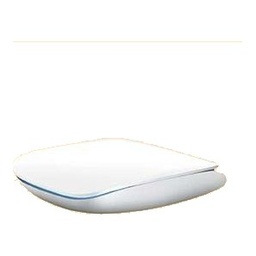
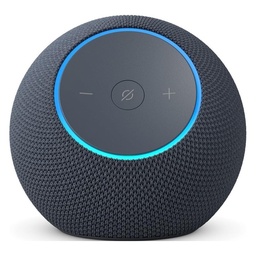
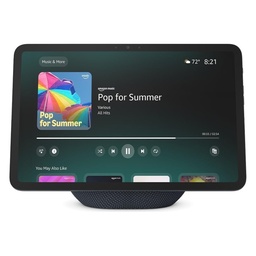
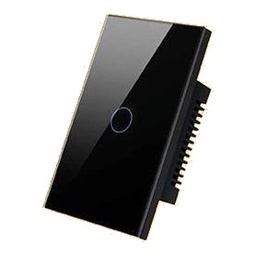
Get a quote from Do Link
Send us your site details and the number of points you need, and Do Link's sales team will reply with suitable models and pricing. Or visit one of our three branches in Bab El Louk, Cairo.
Contact the sales team WhatsApp Call us 01098280784 Request a quote
About Do Link
Do Link for Security Systems is the official Platinum Distributor of Uniview in Egypt, and we supply Hikvision, Dahua, ZKTeco, TP-Link and other global brands for CCTV, networking, intercom and access control. Our products are original with a one-year warranty, pre- and post-sale technical support, and delivery to all Egyptian governorates.
Frequently asked questions
Does Alexa understand Arabic and Egyptian dialect?
Alexa's Arabic support uses the Gulf dialect and depends on supported countries and account settings, so it is not reliable for Egyptian dialect. Most users in Egypt set the assistant to English and use short, fixed commands with simple English device names, which gives the most dependable daily control of lights, AC and curtains.
Do voice commands work without internet?
In most cases, no. A voice command passes through the assistant's servers and the device maker's cloud. During an outage, smart switches still work by hand from the wall and some local scenes on a Zigbee hub may keep running, but the speaker will not carry out control commands until the connection returns.
Do I need a hub if my Echo has Zigbee built in?
Some Echo models have a built-in Zigbee hub and can control a number of Zigbee devices directly. For larger Tuya systems we prefer the system's own hub, which keeps all device features and scenes in the Smart Life app, and then we link that app to the voice assistant for voice control.
Why does my device not show up in Alexa or Google Home?
First confirm the device works properly in its own app, then check that account linking between the two apps succeeded. After adding a new device you may need to run device discovery or resync the account. If the device will not pair at all, make sure it is joining a 2.4GHz network, not 5GHz.
Does a smart speaker record everything said at home?
The speaker is designed to listen for its wake word and only then start sending audio. Every speaker has a microphone mute button, and account settings let you review and delete recordings or set automatic deletion. Choose a sensible location and enable a voice PIN for any commands that open doors.