



In a clinic or medical centre every system works under two pressures at once. It has to be available all day, and it has to protect the most sensitive data you hold: patient data. A phone line that is always busy sends patients to the centre down the road, and guest Wi-Fi on the same network as the medical records system is a real risk nobody notices until something happens.
This article covers the four systems every medical centre needs: cameras that respect patient privacy, a clearly segmented network, an IP PBX that handles calls properly, and access control for the drug store and records rooms.
Cameras: what to watch and what to leave alone
The first rule in healthcare is simple: cameras cover public areas only. Entrances, reception, the waiting area, corridors, the cashier and the inside of the drug store. Examination, procedure, imaging and changing rooms never get cameras.
A mistake we often see is a reception camera mounted behind the receptionist, reading names, diagnoses and amounts straight off the screen. Aim it at the counter from the patient side so it records interactions and payments, not the monitor. Where a screen cannot be avoided, use the privacy mask feature most current cameras offer. The waiting area needs a wide view and the entrance a camera framed for faces; Dahua IP cameras cover both with several resolutions and lenses. Leave audio recording off wherever patients discuss their condition.
One network is not enough
A mid-sized centre has at least five groups of devices: reception and doctor PCs on the medical records system, phones, cameras, some networked medical equipment, and patients' phones in the waiting area. Put them all on one flat network and any infected guest phone can reach the records server.
| VLAN | Devices | Notes |
|---|---|---|
| Admin and records | Reception and doctor PCs, server | Highest protection, no access from other VLANs |
| Voice | IP phones and PBX | QoS priority so calls don't break up |
| Cameras | Cameras and NVR | No internet except the app service |
| Medical devices | Networked lab or imaging equipment | Follow the vendor's requirements |
| Guests | Patients and companions | Internet only, client isolation on |
You need a managed switch with VLAN support and access points that broadcast several SSIDs, each mapped to its own VLAN. TP-Link access points in the Omada range do this with central management and a guest captive portal that can show your centre's name and terms of use.
How many access points?
In heavily partitioned buildings like clinics we start planning at one access point per 100 to 150 m², then adjust after a survey. A 450 m² centre therefore needs three or four, plus a dedicated one for a large waiting area, where the number of connected phones matters more than floor area.
Our advice to clinic managers: never leave the staff Wi-Fi password on a note by reception. Patients get the guest network only, and the staff password changes whenever someone leaves.
IP PBX: no more missed calls
Most centres start with one or two lines and a phone at reception, then discover how many callers hear a busy tone. An IP PBX fixes this with an auto-attendant ("press 1 for bookings, 2 for results"), a call queue that spreads calls across several staff, and an extension for every doctor and department.
Worked example: extension count
- Consulting rooms: 8
- Reception: 3
- Lab and imaging: 2
- Admin and accounts: 3
That is 16 extensions, so choose a PBX rated for 30 or more to allow growth. Landlines connect through FXO ports, built into some models and via an external gateway on others, or you use a SIP trunk where your provider offers one. See our Grandstream IP PBX range, Grandstream IP phones and the PBX and telephony page. Desk IP phones usually draw 3 to 6 W over PoE, so 16 phones need up to 96 W; pick a switch with at least 120 W of PoE budget and QoS for the voice VLAN. After hours, a time schedule can play opening times, forward calls to the on-call doctor's mobile, or take voicemail to email. If you record calls for quality, say so in the welcome message and restrict playback to management.
Need technical advice before you buy?
Do Link's sales team helps you choose the right equipment for your site and budget, with special wholesale and project pricing.
Contact the sales team WhatsApp Call us 01098280784 Request a quote
Access control for the drug store and records
The drug and supplies store, paper records room and server room all need a clear record of who went in and when. A standalone card or fingerprint reader with an electric lock does this simply and can restrict each person to set hours. The Hikvision access control range includes standalone readers for one or two doors, with card, fingerprint and face options. Controlled drugs stay in their regulator-required locked cabinet, with a camera covering it.
Keeping things running through outages
An hour without bookings or phones on a busy day throws the whole centre off. We build in three simple safeguards: a UPS for the server, core switch, PBX and NVR (which also keeps PoE-powered IP phones alive), a backup internet line such as a 4G router with automatic failover, and regular off-device backups of the records system. Keep the NVR in a locked network cabinet or the server room, not on the reception desk; if the recorder walks out, so does the evidence.
Patient privacy is not an add-on
Health data is classed as sensitive under Egypt's Personal Data Protection Law (No. 151 of 2020). In practice: clear CCTV signs, a fixed retention period, viewing rights for a small number of people, and no sharing clips over chat apps. Check the legal detail with an adviser.
How Do Link helps
Do Link brings all four systems under one roof: Uniview cameras as the official Platinum Distributor in Egypt, plus Hikvision and Dahua; TP-Link Omada, Cisco and Huawei eKit networking; Grandstream and Yeastar PBX with Fanvil phones; and access control. Our team helps plan the VLANs and extension count before you buy and supports you after installation. Medical centres and contractors get project pricing, with delivery to all governorates in 2–3 working days.
Send us your floor plan via our contact page, or start with our network solutions.
Recommended products from Do Link
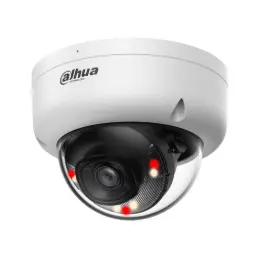 Dahua DH-IPC-HDBW1439E1-A-IL 4MP Entry Smart Dual Light Fixed-focal Dome Network CameraDH-IPC-HDBW1439E1-A-IL
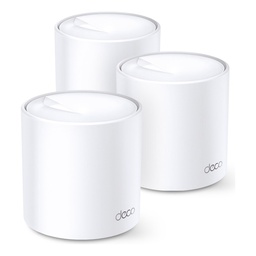 TP-Link Deco X20 AX1800 Whole Home Mesh Wi-Fi 6 System (3-Pack)Deco X20(3-pack)
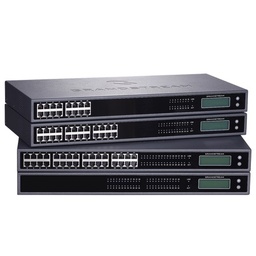 Grandstream GXW4248 V2 48-Port FXS Analog Gateway (V2)GXW4248 V2
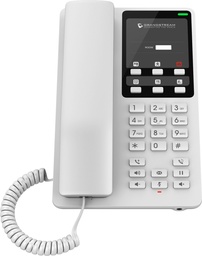 Grandstream GHP620 Compact Hotel IP Phone (White)GHP620
Get a quote from Do Link
Send us your site details and the number of points you need, and Do Link's sales team will reply with suitable models and pricing. Or visit one of our three branches in Bab El Louk, Cairo.
Contact the sales team WhatsApp Call us 01098280784 Request a quote
About Do Link
Do Link for Security Systems is the official Platinum Distributor of Uniview in Egypt, and we supply Hikvision, Dahua, ZKTeco, TP-Link and other global brands for CCTV, networking, intercom and access control. Our products are original with a one-year warranty, pre- and post-sale technical support, and delivery to all Egyptian governorates.
Frequently asked questions
Where can cameras be installed in a clinic?
Public areas only: entrances, reception, waiting area, corridors, cashier and drug store. Examination, procedure, imaging and changing rooms never get cameras. The reception camera should not be able to read the computer screen, and the privacy mask feature can block out any area where patient data appears.
Why separate patient Wi-Fi from the clinic network?
Patients' phones are devices you know nothing about. On the same network as the records system, an infected phone could reach the server. A guest network on its own VLAN with client isolation gives patients internet access only and keeps the centre's data on a network outsiders cannot touch.
What does an IP PBX do for a medical centre?
It adds an auto-attendant that routes callers to bookings or results, a queue that spreads calls across staff instead of giving a busy tone, and an extension for every doctor and department. It connects to landlines through FXO ports or to a SIP trunk, and adding extensions later is easy.
How many Wi-Fi access points does a clinic need?
In heavily partitioned buildings we start at one access point per 100 to 150 m² and adjust after a site survey and signal test. A 450 m² centre usually needs three or four, plus another for a large waiting area, where the number of connected devices is high.
How do I control access to the drug store?
Use a standalone card or fingerprint reader with an electric lock. It records each entry by name and time and can restrict staff to set hours. Controlled drugs stay in their regulator-required locked cabinet with a camera on it, so the electronic log complements the paper record.